How UX research changed the way labels are displayed across the product
Context
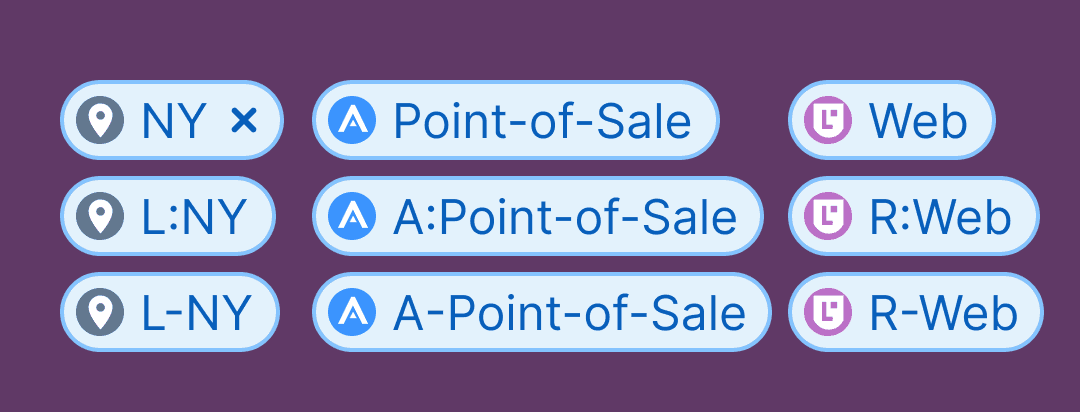
The design team wanted an explanation. Why were so many customers doing this with their labels? They were adding prefixes to the names of the labels. For example, instead of naming a server’s location “CA,” they might name it “L:CA” or “L-CA.” As you can see in the image below from one of our product demonstrations, this is not the intention of the design. Locations named for states simply say, “CA,” “TX,” or “NY.”
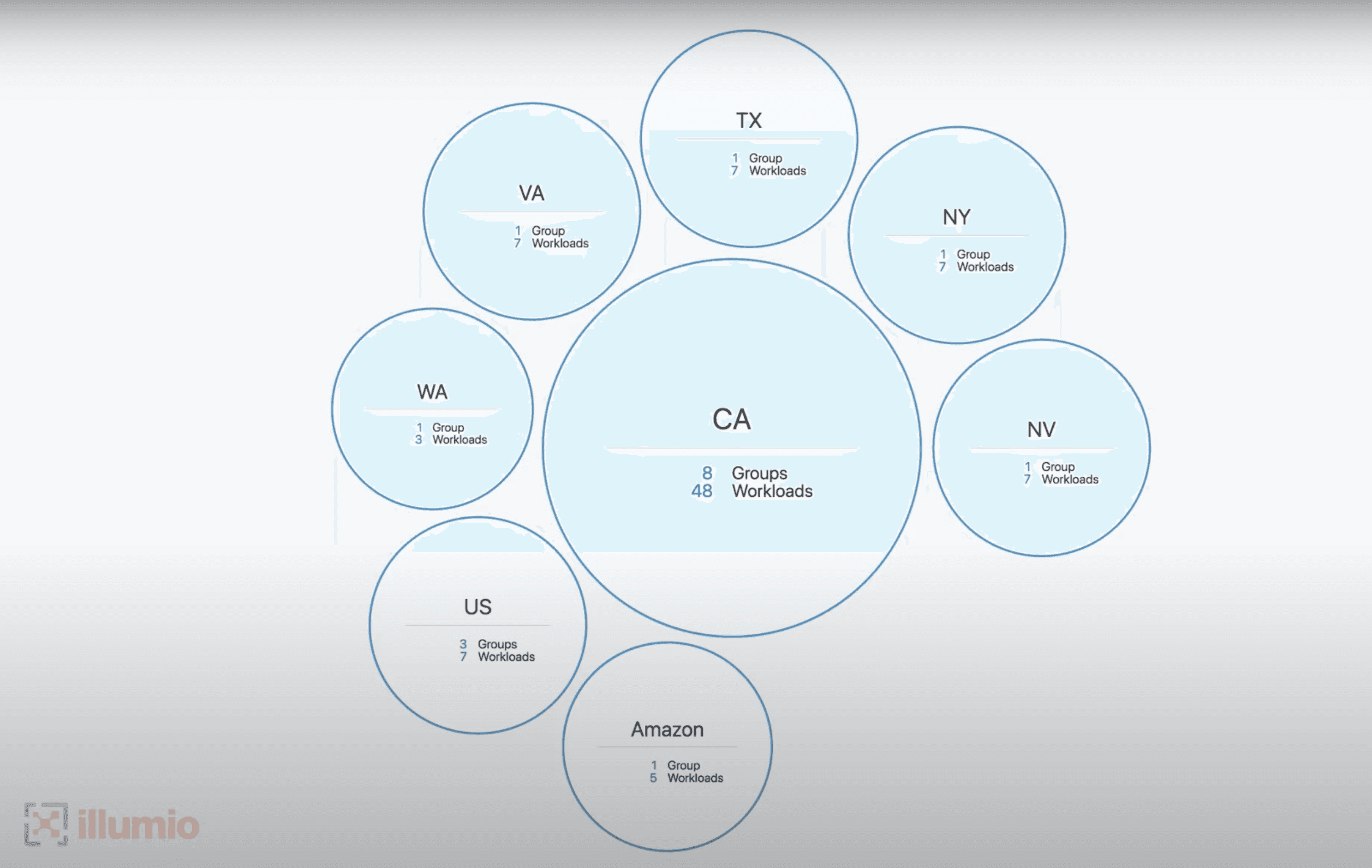
In the maps pictured here, the design intention is to group workloads (aka “servers”) by some dimension, such as their location (pictured above). Below you can see that workloads can also be grouped by other label dimensions. The workloads here are part of an application called “Point-Of-Sale.” Their environment is “PCI,” their location is “NY,” and they can have roles like “Web” or “Database.”
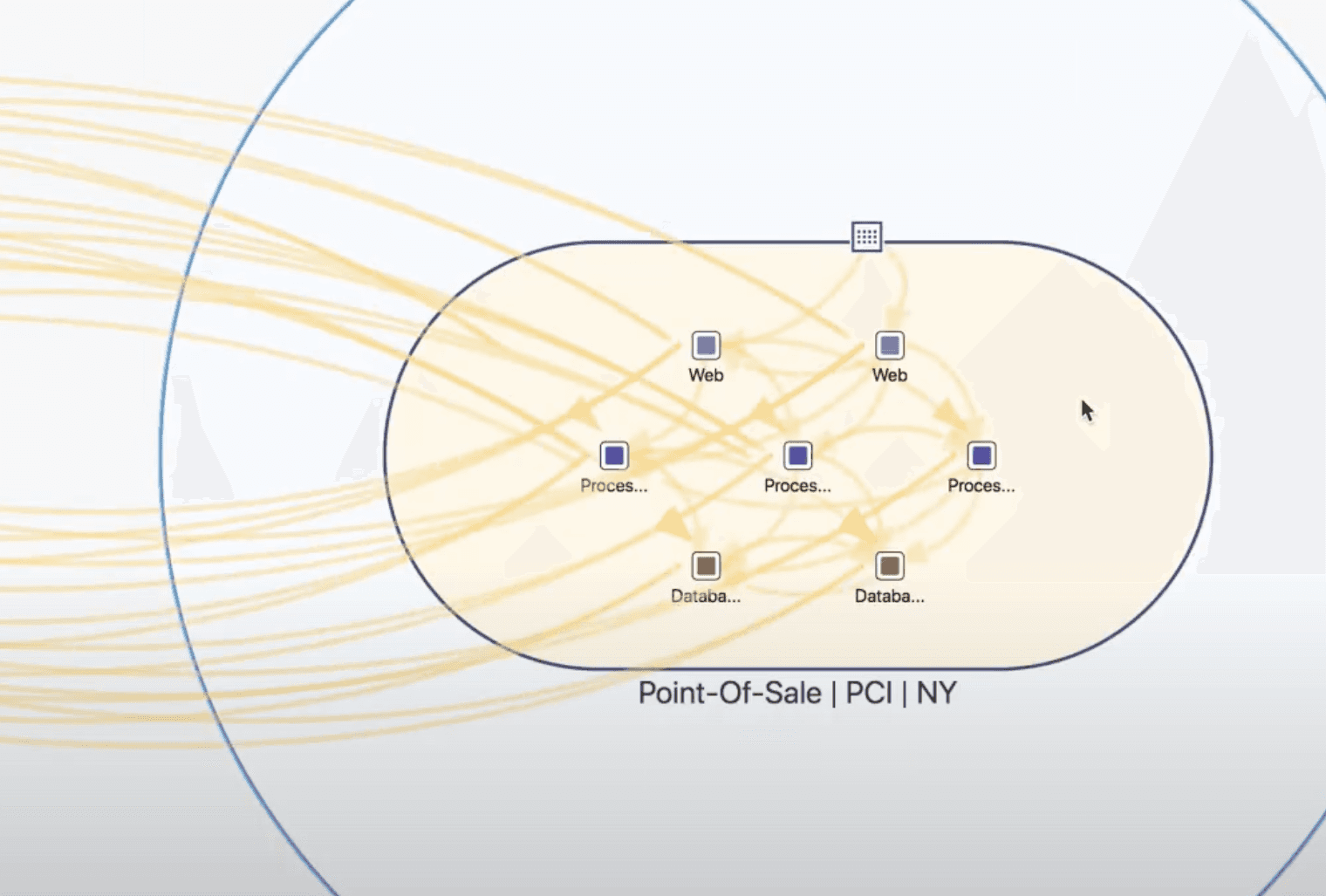
The map pictured here is from demos and documentation, so it doesn’t show the mysterious practice of naming an application “A:Point-Of-Sale,” or a role “R:Web.”
The design team was struggling to make optimal use of limited horizontal space for labels. On a crowded map, full length labels caused problems by overlapping. Truncation made it hard to identify objects by label. Now customers were exacerbating the length limitation by adding prefixes.
Goals
They wanted to know why customers added prefixes and whether we could do something about it.
Later, once Label Settings existed and customers could create novel label types beyond the original four, a second research question followed: do the majority of customers show the icon for their labels? If icons were seldom displayed, a predetermined set would be enough. If the majority displayed icons, building a customization workflow would be worth the cost.
Solutions
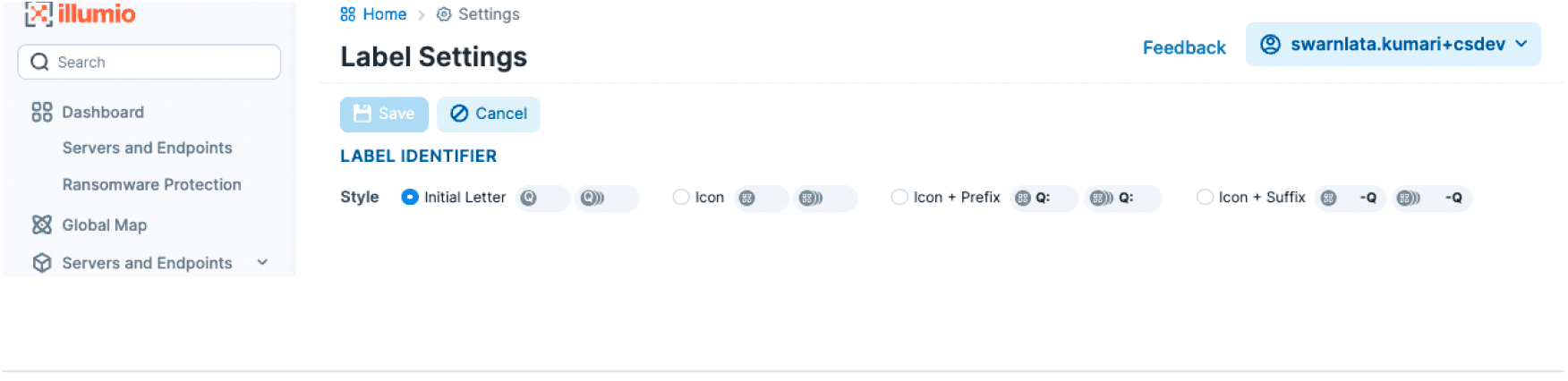
Acknowledging the CLI/export needs and the unexpected introduction of human error from manual prefixes, the product team launched a new feature. The “Label Settings” feature would let customers choose their approach to identifying the label type, and then it would display label type where necessary—without any manual work.
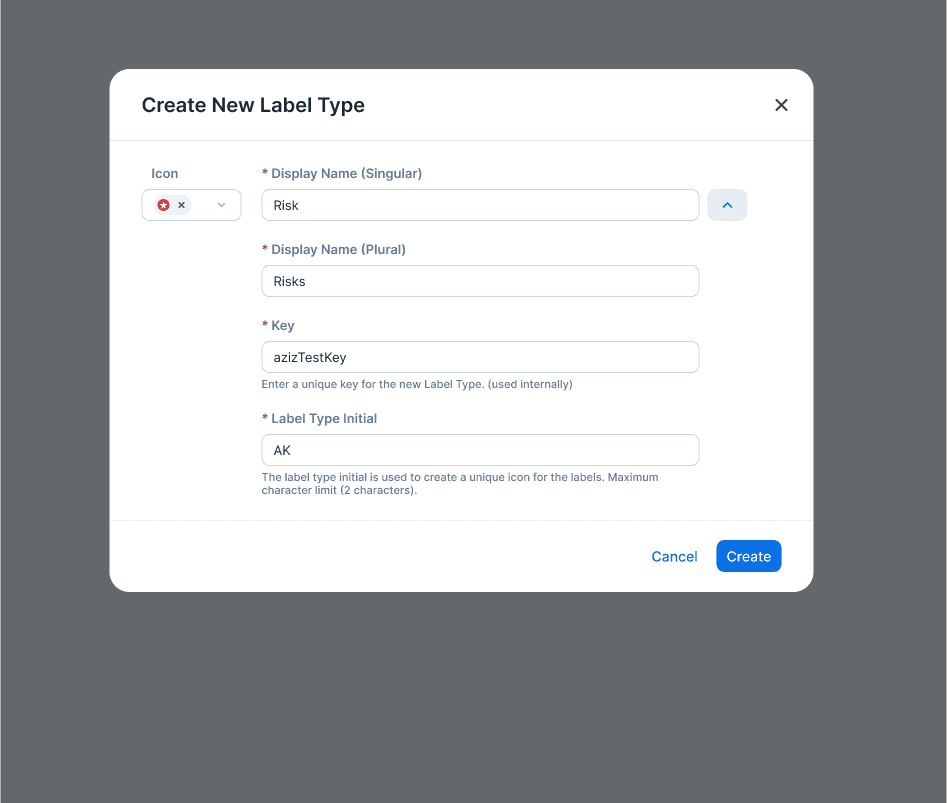
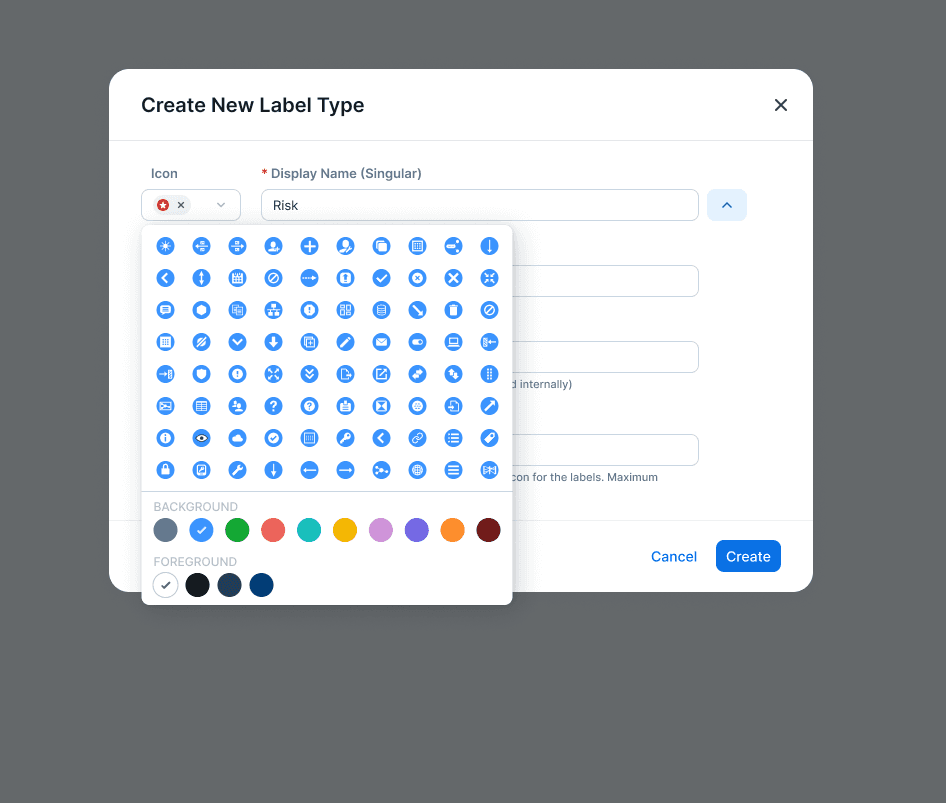
When customers could create as many additional label types as they wanted, they needed the ability to assign new icons. Below you can see a modal that supports the workflow for choosing an icon and its colors.
Process
To answer the question for the design team, I interviewed users from customer accounts that used prefixes and from ones that didn’t.
Here are some of the highlights of what I found.
- customers that didn’t do prefixes had smaller teams, sometimes just one person doing the project
- customers that didn’t do prefixes spent far less time using the product
- customers that did were more likely to use command-line interface (CLI) tools, where the icon wouldn’t show up
- customers that did all exported labels to csv or json. having prefixes made these export files simpler to work with
- customers that did had frequent interactions with collaborators with no training and access to the tool. these collaborators would not recognize the icons
- mistakes while manually adding prefixes introduced error in the label-creation process
- the practice of prefixes was so widely beneficial and adopted that I found examples of it in the reference material for our customer training programs
For customers exporting data or working with the CLI, prefixes and suffixes are practically a necessity. Take the case of CLI workflows—users would sometimes be utterly unable to identify the label type without a prefix in the label name. One user, sharing his screen with me said this:
“Ignore these (prefixes). Can you tell what’s a role and what’s an app? Take these away, and I’m pretty much as lost as you are.”
Do the majority of customers show the icon?
A PM and the designer assigned to the project made a research request to answer this question. It was a straightforward quantitative question, but there were obstacles to answering it. The operations team would have to run an ad hoc query on the production infrastructure. A query of this kind would not be feasible in the near term. Because I had been tracking user behavior data, I thought there might be an alternative.
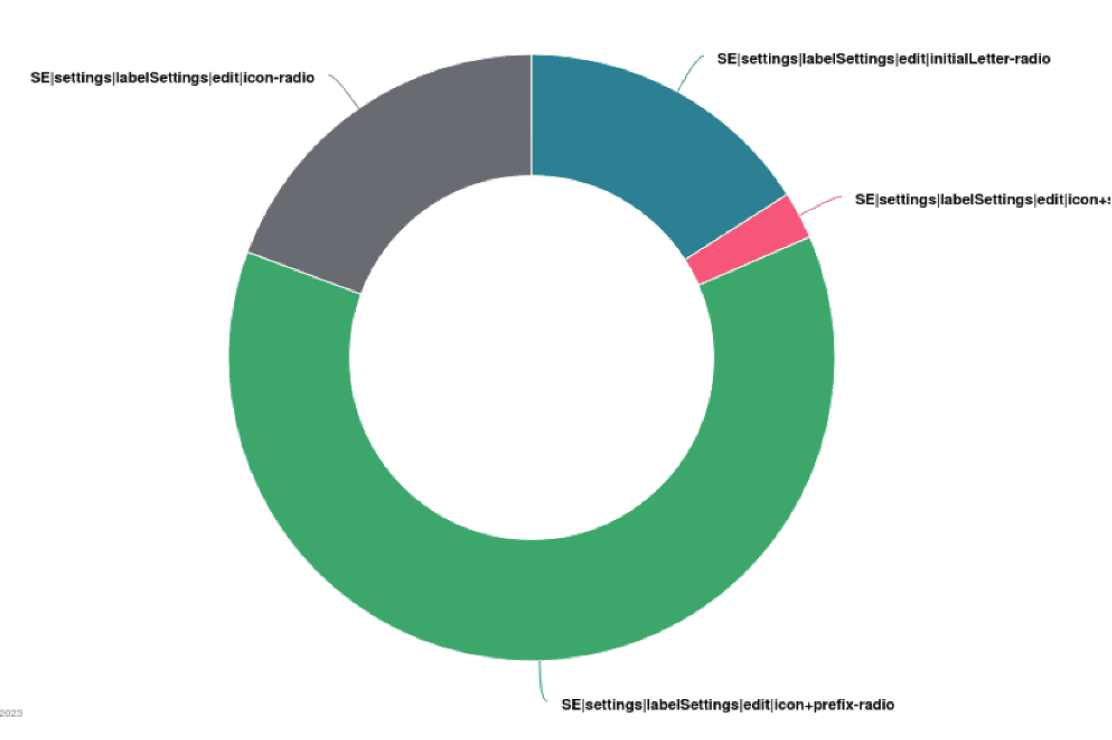
Without access to the ground truth data stored in our production systems, I thought we could use button clicks as a proxy. Looking at how many times each of the four options were clicked, we can see that users clicked icon + prefix more frequently than they chose the other three options combined. This makes sense, because icons make the UI more scannable while initials make Label Type clear outside of the UI.
Impact
Label Settings shipped, giving customers a supported way to show prefix, suffix, icon, or initial letter without manual naming work. The RUM click proxy justified the cost of an icon-and-color picker for novel label types, and that workflow was built.